My Kobo Nia took about 20 seconds to show me a book. It's a small Linux computer with one Cortex-A7 core, 250 MB of RAM and an E Ink panel, and it boots into a Qt app that also contains a store, a sync service and a web browser.
In October I spent three days replacing all of that with my own software, written in Rust: the boot daemon, the EPUB engine, the typesetter, the e-ink rendering, USB and power management. KOReader and NickelMenu already exist, and I didn't want either on the device, because the whole point was to build our own.
An AI coding agent did the implementation, 152 commits of it. I'll get to how that worked, because it went wrong in some interesting ways.
It now reaches the home screen in 6 to 7 seconds. Press the button if you want to sit through both.
Stock software~20 s
Signet6–7 s
Signet
signet
French, /see-nyeh/
noun
The ribbon sewn into a book to keep your place.
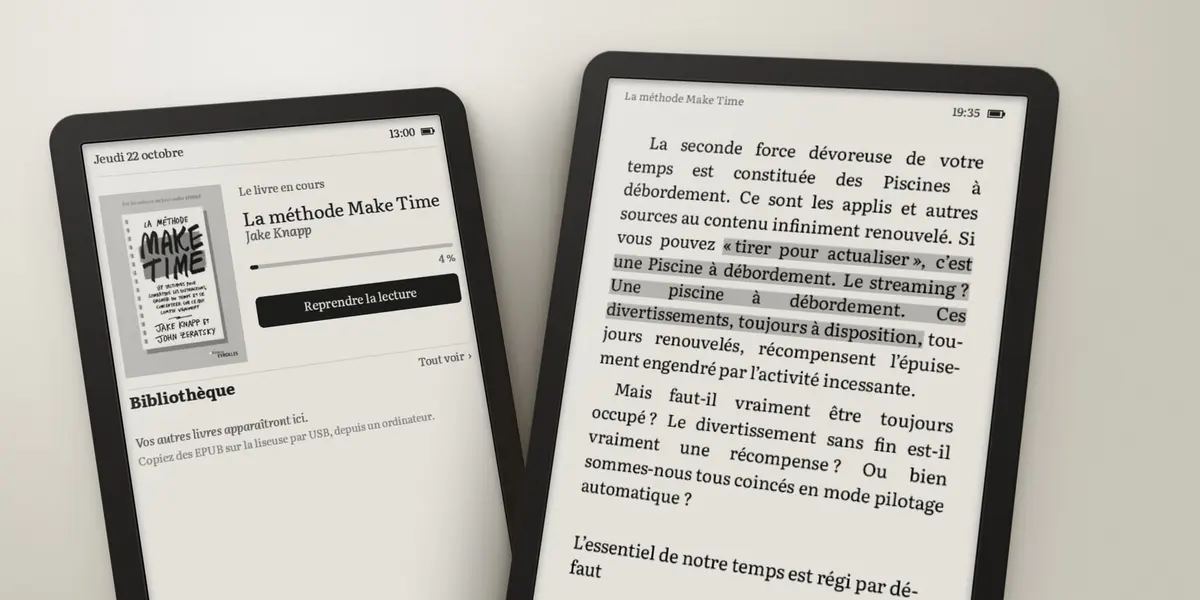
It opens on the book you were reading, and that's most of the interface. The book in these screenshots is Make Time, my test book the whole way through. It's about avoiding distractions, so it seemed like a fair choice.
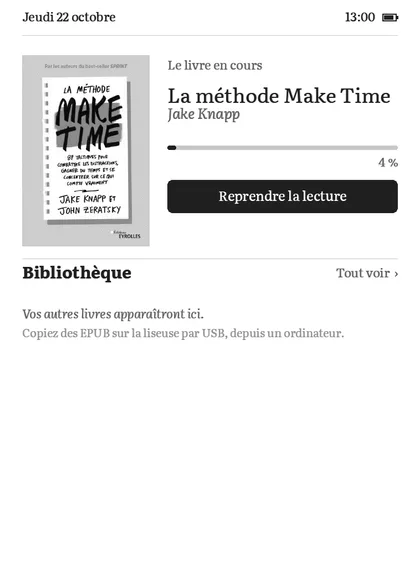
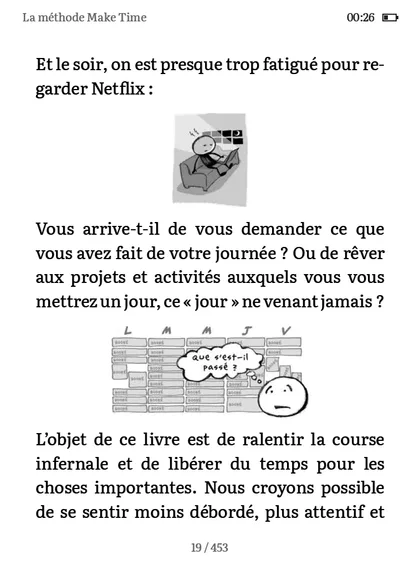
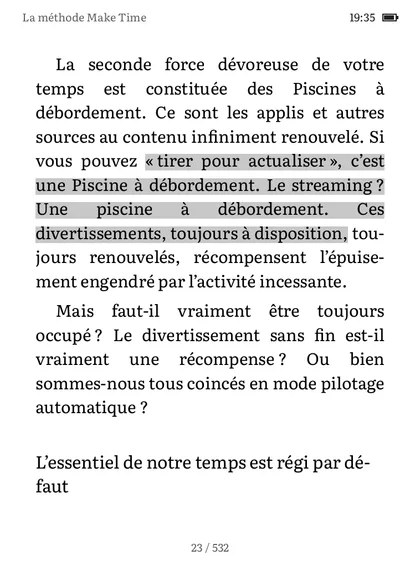
Also inside: highlights · a dictionary · bookmarks · search · clickable notes · night mode · two typefaces · exact page numbers.
- 6–7 s
- power on to homewas ~20 s
- ~70 ms
- to resume readingwas ~1.1 s
- 13 MB
- of memory usedout of 250 MB
- 3 days
- first probe to full report152 commits
Getting in
The firmware unpacks any KoboRoot.tgz it finds in a hidden folder on the USB partition, so that's how everything gets onto the device. A udev rule started my daemon at first. Later I added twelve lines to rcS so that Nickel, Kobo's app, doesn't start at all.
Before
After
The first thing I installed only read /proc, /sys and /etc and wrote a report. The specs I'd found online said 1 GHz Cortex-A9. The report said 900 MHz Cortex-A7.
The first real run was less tidy. A long press restarted Nickel, Nickel's startup ran udevadm trigger, that fired my udev rule again, and my daemon killed Nickel eight seconds later. Then it started over. Nickel also owns the USB connection, so I couldn't reach the disk from my Mac to fix it. I got out by plugging the cable in while Signet was running, long-pressing, and tapping Connect inside that eight-second window. The daemon now leaves a marker in /tmp and only runs once per boot.
Waiting for ink
I measured the panel before writing any UI, and I'm glad I did. Signet works out a page in 19 to 88 ms. GC16 then takes 620 ms to move the ink, and the size of the area barely changes that.
88 ms
620 ms
So there's very little to gain from faster layout code. We tried anyway at one point, and a round of Knuth-Plass optimizations took a full book from 2,399 ms to 2,360. We left it there.
What you actually feel is whether the screen reacts when you touch it. Buttons invert in A2 on just their own rectangle, about 140 ms, before the real redraw. There's also a setting that thresholds text to pure black and white so pages can use DU. The letters get slightly rougher and each page turn is 40% shorter, which is why it's a setting and not the default.
Sleep
Sleep took four wrong theories. /sys/power/state returned an error, so at first it looked like the kernel refused. But dmesg showed a real suspend and resume cycle, which meant the return code couldn't be trusted on this kernel. Then it looked like an instant wakeup, then like an RTC alarm left behind by Nickel.
The actual line was Device mmc1:0001:1 failed to suspend: error -38. That's the Wi-Fi driver. Unload 8189fs first and the device slept 88.4 seconds on a 90-second alarm.
The page
A six-inch column fits about 42 characters per line, and justified text at that width is hard. Browsers fill each line and move on, which leaves holes whenever a long word doesn't fit. TeX has had a better answer since 1981: Knuth-Plass picks all the breaks in a paragraph together. Signet uses it, with French hyphenation and TrueType hinting through skrifa, all in Rust.
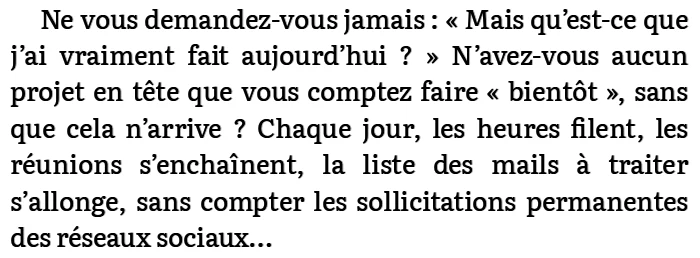
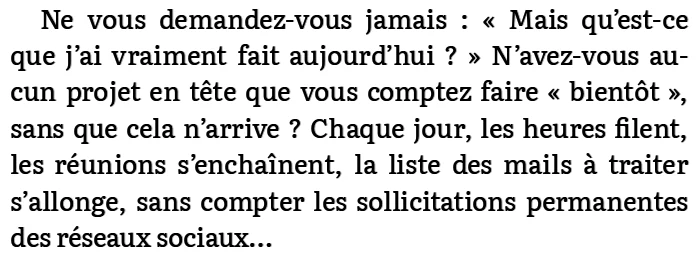
Widest gap between words
Word gaps wider than half an em
Runs of three hyphenated lines
The numbers were better, and the page still didn't look as clean as Apple Books after an evening of reading on it. Putting the same chapter through Apple's engine next to mine finally explained why, and it had little to do with line breaks. Our titles were 36 px where the book's stylesheet asked for 42. There were 150 px between a title and its subtitle where WebKit had 84, because we were adding vertical margins that CSS collapses.
Apple Books also ships its typographic rules as plain CSS in the app bundle, so I could read them.
p { widows: 2; orphans: 2; }
body { -webkit-hyphenate-limit-lines: 2; }
I took those two. I didn't take its three-letter minimum before a hyphen, because at this width it added 4.7 points of loose lines, and French typography allows two letters anyway. Signet allows them at forty times the normal penalty, so they're rare. I also ignored the book's gray quotes. On a panel with 16 grays, gray text is hard to read.
Twice, it wiped itself
The first factory reset was our fault. An early build kept its log file open on the FAT partition while my Mac had it mounted over USB. Two systems wrote to it, the firmware's disk check failed four times, and it reset itself to an older firmware with no books.
The second one happened the next morning.
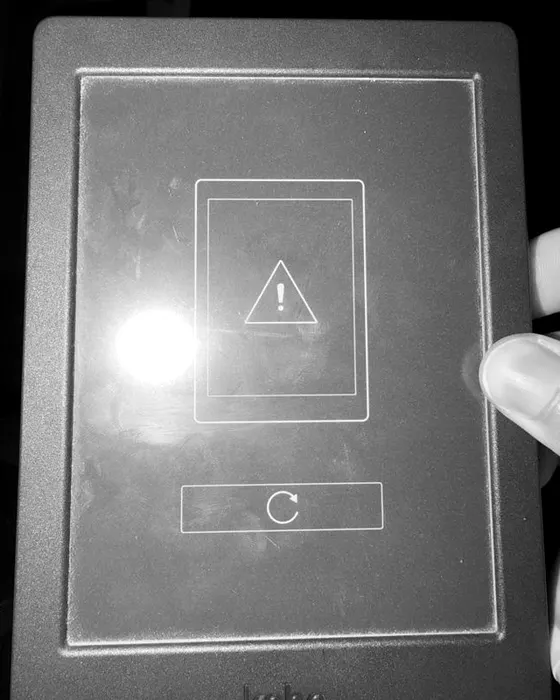
- A hard power cut while the FAT partition is mounted read-write.
- The volume is left dirty.
- At boot, rcS runs dosfsck four times. All four fail.
- The firmware shows this screen, with one button.
- One tap: recovery boot, partition wiped.
I tapped it. It's the only button on the screen and the icon looks like "retry". I only found out what it does afterwards, in the boot script: pickel wait-for-hit, then write_uboot_env with RECOVERY, then reboot.
The partition now stays mounted read-only. Each write remounts it read-write, renames a temp file into place, syncs and remounts read-only, and the kernel clears the FAT dirty bit on that last step. To test it I ran reboot -n -f, which is about as rude as pulling the power. It came back in 41 seconds with no error screen and the reading position intact, and it hasn't reset since.
Working with the agent
The agent wrote the implementation, ran experiments on the device over SSH and read the logs. I set the architecture and the constraints, tested it by reading on it, and decided when something wasn't good enough. A lot of the work started with me saying something like this (translated from French):
No NickelMenu, no hybrid. We write our own thing.
Static Rust binaries from the boot daemon down to the framebuffer. The only outside pieces are generic ones like rustybuzz, skrifa and image decoders.
Did you push it as far as it goes? Did you measure?
We hadn't. That produced a bench that lays out the whole book. The loosest line went from a Knuth ratio of 43.3 to 9.7, and greedy fallbacks from 65 paragraphs to 0.
When I put it on the charger, it thinks it's plugged into a computer.
It now loads the USB gadget with no medium and watches the UDC state. A computer enumerates it within seconds. A charger stays at “powered”, and you keep reading.
Can't we make the dictionary better?
Looking closer turned up a real bug. Zip filenames were read as CP437, so words starting with é or â had no definition at all, including école and être.
A build took 10 to 25 seconds to cross-compile, 3 to deploy and 150 ms to restart, so these loops were short. One full reboot hit while I was in the middle of a chapter. After that, the agent had to check the logs for recent page turns before touching the device.
It got plenty wrong. It told me the Kobo had frozen when it was only reconnecting to Wi-Fi. It told me to hold the power button for ten seconds, which is a hard power cut and brought the error screen back. One of its remote taps was calculated for the wrong panel layout, hit "switch to reading mode" and turned off the Wi-Fi it was connected through. That button asks for confirmation now.
Separately, a review with no context from the build went through the typesetter and came back with twelve issues. The worst was an infinite loop in pagination when an image was exactly one page tall.
If you want to try it
The code is on GitHub, about 23,000 lines of Rust. It's built for the Nia and I've only tested it on mine. It also patches the boot script, so keep a copy of your books.